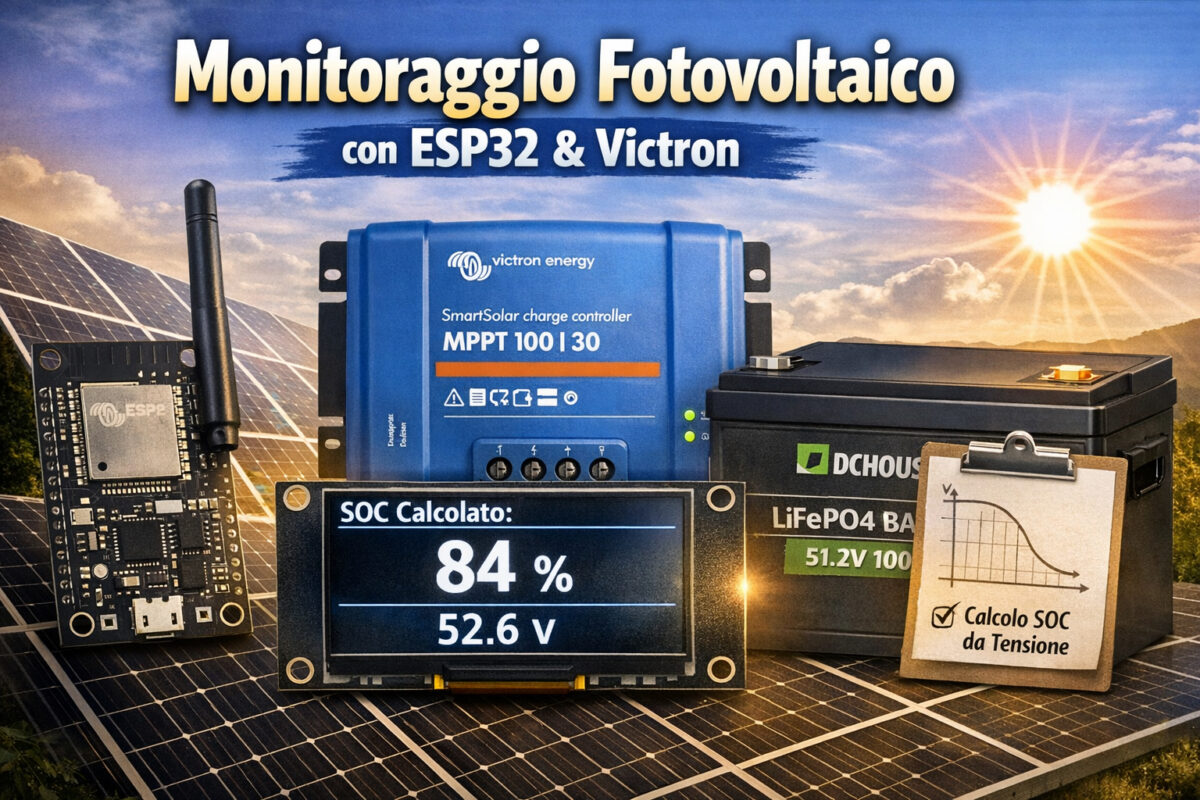
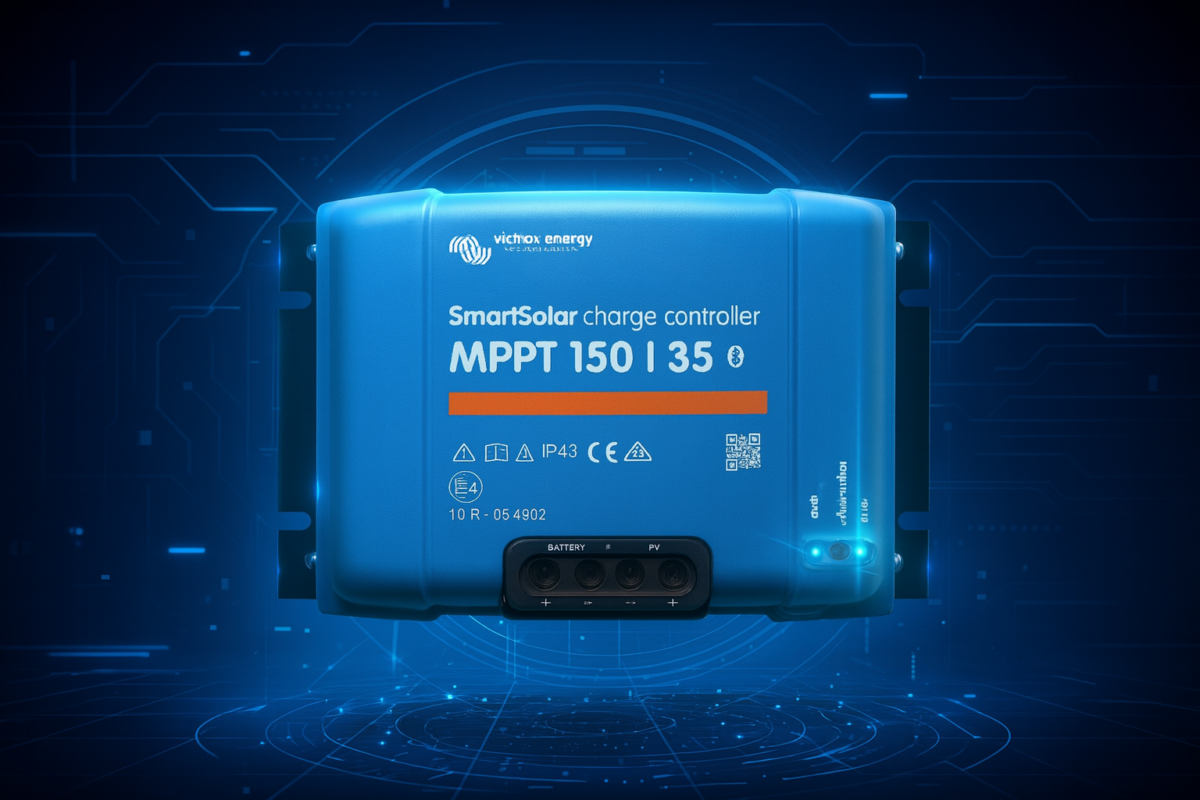
Realizzare un monitor solare professionale, elegante e completamente personalizzato non è mai stato così semplice. In questo articolo ti mostro come ho costruito un sistema completo basato su ESP32, display OLED e protocollo VE.Direct, capace di leggere in tempo reale tutti i dati del regolatore Victron e mostrarli sia su schermo che su una dashboard web moderna e responsive.
Un progetto che unisce elettronica, programmazione e design… e che porta il tuo impianto solare a un livello superiore.
💙 Firmato: TechConnectHub
🔥 Perché questo progetto è speciale
Questo monitor non è un semplice lettore di dati: è un vero e proprio cruscotto intelligente per il tuo impianto fotovoltaico.
Ecco cosa fa:
Legge in tempo reale i dati VE.Direct del regolatore Victron
Mostra i valori principali su un display OLED 128×64
Offre una dashboard web moderna, scura, elegante e aggiornata ogni secondo
Funziona con hostname dedicato: `http://victron-monitor.localMostra:
Potenza pannelli (W)
Tensione pannelli (V)
Tensione batteria (V)
Corrente (A)
Produzione totale (Wh)
Produzione giornaliera (Wh)
Stato MPPT (Bulk, Absorption, Float…)
Numero di serie del regolatore
Versione firmware
Include una pagina OLED dedicata con il logo TechConnectHub
Sincronizzazione perfetta senza perdere pacchetti VE.Direct
Un progetto pensato per essere affidabile, bello da vedere e semplice da installare.
🧩 Hardware necessario
ESP32 DevKit (qualsiasi versione con WiFi)
Display OLED 128×64 I2C
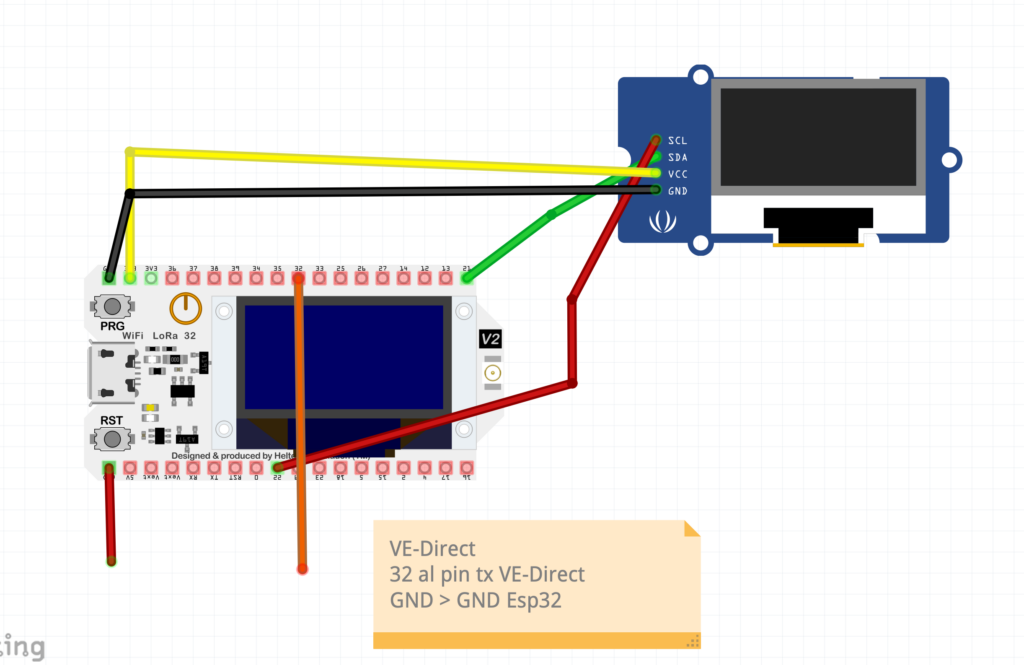
Cavo VE.Direct → UART (TX → GPIO 32)
Alimentazione 5V
Qualche cavetto Dupont
🛠️ Collegamenti elettrici
Victron TX → ESP32 GPIO 32
Victron GND → ESP32 GND
OLED SDA → ESP32 GPIO 21
OLED SCL → ESP32 GPIO 22
OLED VCC → 3.3V
OLED GND → GND
💻 Il firmware completo
#include <Arduino.h>
#include <U8g2lib.h>
#include <WiFi.h>
#include <WebServer.h>

// -------------------- DISPLAY --------------------
U8G2_SSD1306_128X64_NONAME_1_HW_I2C u8g2(U8G2_R0, U8X8_PIN_NONE);

// -------------------- VARIABILI GLOBALI --------------------
float battery_voltage = 0;
float battery_current = 0;
float pv_power = 0;
float pv_voltage = 0;
float yield_total = 0;
float yield_today_real = 0;
String mppt_state = "Off";
float soc_voltage = 0;  // Aggiunto SOC

String serial_number = "";
String firmware_ver = "";

unsigned long lastUpdate = 0;
unsigned long lastPageSwitch = 0;
int lcd_page = 0;
bool soc_ready = false;  // Flag SOC pronto

// -------------------- VE.DIRECT BUFFER --------------------
String veLine = "";
bool packetReady = false;

float new_voltage = 0;
float new_current = 0;
float new_pv_power = 0;
float new_pv_voltage = 0;
float new_yield_total = 0;
float new_yield_today_real = 0;
String new_state = "Off";
float new_soc_voltage = 0;  // Aggiunto SOC

String new_serial = "";
String new_fw = "";

// -------------------- WIFI CONFIG --------------------
const char* ssid     = "Bxxxx";
const char* password = "xx";

// -------------------- WIFI WATCHDOG --------------------
unsigned long lastWiFiCheck = 0;
unsigned long wifiReconnectAttempts = 0;
const unsigned long WIFI_CHECK_INTERVAL = 10000; // 10 secondi
const unsigned long MAX_RECONNECT_ATTEMPTS = 5;
bool wifiConnected = false;

// -------------------- WEB SERVER --------------------
WebServer server(80);

// -------------------- FUNZIONE CALCOLO SOC --------------------
float calculateSOC(float v, String state) {

  // Normalizza lo stato in minuscolo
  state.toLowerCase();

  // 100% SOLO in float e sopra 54.40 V
  if (state.indexOf("float") != -1) {
    if (v > 54.40) return 100;
  }

  const int N = 10;
  float v_points[N]   = {54.4, 53.6, 53.1, 52.8, 52.3, 52.0, 51.5, 51.2, 48.0, 40.0};
  float soc_points[N] = {100,  90,   80,   70,   60,   40,   30,   20,   10,   0};

  // EVITA 100% fuori dal float
  if (v > 54.40) return 99;

  // Sotto il minimo → 0%
  if (v <= 40.0) return 0;

  // Interpolazione lineare
  for (int i = 0; i < N - 1; i++) {
    if (v <= v_points[i] && v > v_points[i + 1]) {
      float t = (v - v_points[i + 1]) / (v_points[i] - v_points[i + 1]);
      return soc_points[i + 1] + t * (soc_points[i] - soc_points[i + 1]);
    }
  }

  return 0;
}


// -------------------- HTML PAGE --------------------
const char* htmlPage = R"rawliteral(
<!DOCTYPE html>
<html>
<head>
<meta charset="utf-8">
<title>VE.Direct Monitor</title>
<style>
  body { font-family: Arial; background:#0d1117; color:#e6edf3; padding:20px; }
  h1 { text-align:center; color:#58a6ff; margin-bottom:25px; }
  .section-title { font-size:22px; margin-top:25px; margin-bottom:10px; color:#f0883e; text-align:center; }
  .card { background:#161b22; padding:18px; border-radius:12px; margin-bottom:15px; border:1px solid #30363d; }
  .label { font-size:18px; color:#8b949e; }
  .value { font-size:26px; font-weight:bold; margin-top:5px; }
  .watt { color:#f0883e; }
  .volt { color:#3fb950; }
  .amp  { color:#d29922; }
  .wh   { color:#a371f7; }
  .state { color:#58a6ff; }
  .soc   { color:#f0883e; }
  .footer { text-align:center; margin-top:30px; font-size:18px; color:#58a6ff; font-weight:bold; }
  .wifi-status { position:fixed; top:10px; right:10px; padding:5px 10px; border-radius:15px; font-size:12px; }
  .wifi-connected { background:#3fb950; color:white; }
  .wifi-disconnected { background:#f85149; color:white; }
</style>
</head>
<body>

<div id="wifiStatus" class="wifi-status wifi-disconnected">WiFi: Disconnesso</div>

<h1>VE.Direct Monitor</h1>

<div class="section-title">Dati in tempo reale</div>

<div class="card"><div class="label">Pannelli</div><div class="value watt" id="pv_power">-- W</div></div>
<div class="card"><div class="label">Tensione Pannelli</div><div class="value volt" id="pv_voltage">-- V</div></div>
<div class="card"><div class="label">Batteria</div><div class="value volt" id="battery_voltage">-- V</div></div>
<div class="card"><div class="label">Corrente</div><div class="value amp" id="battery_current">-- A</div></div>
<div class="card"><div class="label">SOC Batteria</div><div class="value soc" id="soc_voltage">-- %</div></div>
<div class="card"><div class="label">Produzione Totale</div><div class="value wh" id="yield_total">-- Wh</div></div>
<div class="card"><div class="label">Produzione Giornaliera</div><div class="value wh" id="yield_today_real">-- Wh</div></div>
<div class="card"><div class="label">Stato MPPT</div><div class="value state" id="mppt_state">--</div></div>

<div class="section-title">Informazioni Regolatore</div>

<div class="card"><div class="label">Seriale</div><div class="value state" id="serial_number">--</div></div>
<div class="card"><div class="label">Firmware</div><div class="value state" id="firmware_ver">--</div></div>

<div class="footer">By TechConnectHub</div>

<script>
function updateWifiStatus(connected) {
  const element = document.getElementById('wifiStatus');
  element.className = connected ? 'wifi-status wifi-connected' : 'wifi-status wifi-disconnected';
  element.innerText = 'WiFi: ' + (connected ? 'Connesso' : 'Disconnesso');
}

function updateData() {
  fetch('/api')
    .then(response => {
      updateWifiStatus(true);
      return response.json();
    })
    .then(data => {
      document.getElementById('pv_power').innerText        = data.pv_power + " W";
      document.getElementById('pv_voltage').innerText      = data.pv_voltage.toFixed(2) + " V";
      document.getElementById('battery_voltage').innerText = data.battery_voltage.toFixed(2) + " V";
      document.getElementById('battery_current').innerText = data.battery_current.toFixed(2) + " A";
      document.getElementById('soc_voltage').innerText     = data.soc_voltage.toFixed(0) + " %";
      document.getElementById('yield_total').innerText     = data.yield_total + " Wh";
      document.getElementById('yield_today_real').innerText= data.yield_today_real + " Wh";
      document.getElementById('mppt_state').innerText      = data.mppt_state;
      document.getElementById('serial_number').innerText   = data.serial_number;
      document.getElementById('firmware_ver').innerText    = data.firmware_ver;
    })
    .catch(error => {
      updateWifiStatus(false);
      console.error('Errore di connessione:', error);
    });
}

setInterval(updateData, 1000);
updateData();
</script>

</body>
</html>
)rawliteral";

// -------------------- VE.DIRECT PARSER --------------------
String csToState(int cs) {
  switch (cs) {
    case 0: return "Off";
    case 2: return "Fault";
    case 3: return "Bulk";
    case 4: return "Absorption";
    case 5: return "Float";
    case 7: return "Equalize";
    default: return "Unknown";
  }
}

void parseVEDirectLine(const String &line) {
  int sep = line.indexOf('\t');
  if (sep < 0) return;

  String key = line.substring(0, sep);
  String val = line.substring(sep + 1);
  long iv = val.toInt();

  if (key == "V") new_voltage = iv / 1000.0f;
  else if (key == "I") new_current = iv / 1000.0f;
  else if (key == "PPV") new_pv_power = iv;
  else if (key == "VPV") new_pv_voltage = iv / 1000.0f;
  else if (key == "H19") new_yield_total = iv * 10.0f;
  else if (key == "H20") new_yield_today_real = iv * 10.0f;
  else if (key == "CS") new_state = csToState(iv);
  else if (key == "SER#") new_serial = val;
  else if (key == "FW") {
    float fw = iv / 100.0f;
    new_fw = String(fw, 2);
  }
  else if (key == "Checksum") packetReady = true;
}

void readVEDirect() {
  while (Serial2.available()) {
    char c = Serial2.read();
    if (c == '\n') { parseVEDirectLine(veLine); veLine = ""; }
    else if (c != '\r') veLine += c;
  }

  if (packetReady) {
    battery_voltage = new_voltage;
    battery_current = new_current;
    pv_power        = new_pv_power;
    pv_voltage      = new_pv_voltage;
    yield_total     = new_yield_total;
    yield_today_real= new_yield_today_real;
    mppt_state      = new_state;

    // Calcola il SOC basato sulla tensione
    new_soc_voltage = calculateSOC(new_voltage, new_state);
    soc_voltage = new_soc_voltage;

    serial_number   = new_serial;
    firmware_ver    = new_fw;
    lastUpdate = millis();
    packetReady = false;

    // Imposta SOC come pronto se abbiamo dati validi
    if (!soc_ready && soc_voltage > 0 && battery_voltage > 0) {
      soc_ready = true;
    }
  }
}

// -------------------- WIFI MANAGEMENT --------------------
void WiFiEvent(WiFiEvent_t event) {
  switch (event) {
    case ARDUINO_EVENT_WIFI_STA_CONNECTED:
      Serial.println("Connesso all'AP");
      wifiConnected = true;
      wifiReconnectAttempts = 0;
      break;

    case ARDUINO_EVENT_WIFI_STA_DISCONNECTED:
      Serial.println("Disconnesso dall'AP");
      wifiConnected = false;
      break;

    case ARDUINO_EVENT_WIFI_STA_GOT_IP:
      Serial.print("IP ottenuto: ");
      Serial.println(WiFi.localIP());
      break;

    default:
      break;
  }
}

void wifiWatchdog() {
  if (WiFi.status() != WL_CONNECTED) {
    Serial.println("WiFi disconnesso, tentativo di riconnessione...");

    if (wifiReconnectAttempts < MAX_RECONNECT_ATTEMPTS) {
      WiFi.disconnect();
      delay(100);
      WiFi.reconnect();
      wifiReconnectAttempts++;
      Serial.print("Tentativo ");
      Serial.println(wifiReconnectAttempts);
    } else {
      Serial.println("Troppi tentativi falliti, reset completo WiFi...");
      WiFi.disconnect(true);
      delay(1000);
      WiFi.begin(ssid, password);
      wifiReconnectAttempts = 0;
    }
  } else {
    wifiReconnectAttempts = 0;
  }
}

// -------------------- SETUP --------------------
void setup() {
  Serial.begin(115200);
  Serial2.begin(19200, SERIAL_8N1, 32, 33);

  u8g2.begin();
  u8g2.enableUTF8Print();

  // Configurazione WiFi
  WiFi.onEvent(WiFiEvent);
  WiFi.mode(WIFI_STA);
  WiFi.setHostname("victron-monitor");
  WiFi.setAutoReconnect(true);
  WiFi.persistent(true);

  Serial.println("Connessione al WiFi...");
  WiFi.begin(ssid, password);

  // Timeout connessione iniziale (30 secondi)
  unsigned long startTime = millis();
  while (WiFi.status() != WL_CONNECTED && millis() - startTime < 30000) {
    delay(500);
    Serial.print(".");
  }

  if (WiFi.status() == WL_CONNECTED) {
    Serial.println("\nConnesso!");
    Serial.print("IP address: ");
    Serial.println(WiFi.localIP());
  } else {
    Serial.println("\nFallito connessione WiFi iniziale");
  }

  // Configurazione server web
  server.on("/", []() {
    server.send(200, "text/html", htmlPage);
  });

  server.on("/api", []() {
    String json = "{";
    json += "\"pv_power\":" + String(pv_power) + ",";
    json += "\"pv_voltage\":" + String(pv_voltage) + ",";
    json += "\"battery_voltage\":" + String(battery_voltage) + ",";
    json += "\"battery_current\":" + String(battery_current) + ",";
    json += "\"soc_voltage\":" + String(soc_voltage) + ",";
    json += "\"yield_total\":" + String(yield_total) + ",";
    json += "\"yield_today_real\":" + String(yield_today_real) + ",";
    json += "\"serial_number\":\"" + serial_number + "\",";
    json += "\"firmware_ver\":\"" + firmware_ver + "\",";
    json += "\"mppt_state\":\"" + mppt_state + "\"";
    json += "}";
    server.send(200, "application/json", json);
  });

  server.begin();
  Serial.println("Server HTTP avviato");
}

// -------------------- LOOP --------------------
void loop() {
  server.handleClient();
  readVEDirect();

  // Gestione WiFi watchdog ogni 10 secondi
  if (millis() - lastWiFiCheck > WIFI_CHECK_INTERVAL) {
    wifiWatchdog();
    lastWiFiCheck = millis();
  }

  // Cambio pagina display ogni 4 secondi
  if (millis() - lastPageSwitch > 4000) {
    lcd_page = (lcd_page + 1) % 11;  // Modificato per 11 pagine (0-10)
    lastPageSwitch = millis();
  }

  // Aggiornamento display
  u8g2.firstPage();
  do {
    if (millis() - lastUpdate > 15000) {
      u8g2.setFont(u8g2_font_ncenB12_tr);
      u8g2.drawStr(0, 30, "No VE.Direct...");
    } else {
      switch (lcd_page) {
        case 0:
          u8g2.setFont(u8g2_font_ncenB14_tr);
          u8g2.drawStr(0, 16, "Pannelli");
          u8g2.setFont(u8g2_font_fub17_tr);
          u8g2.setCursor(0, 60);
          u8g2.print(pv_power); u8g2.print(" W");
          break;

        case 1:
          u8g2.setFont(u8g2_font_ncenB14_tr);
          u8g2.drawStr(0, 16, "V Pannelli");
          u8g2.setFont(u8g2_font_fub17_tr);
          u8g2.setCursor(0, 60);
          u8g2.print(pv_voltage, 2); u8g2.print(" V");
          break;

        case 2:
          u8g2.setFont(u8g2_font_ncenB14_tr);
          u8g2.drawStr(0, 16, "Batteria");
          u8g2.setFont(u8g2_font_fub17_tr);
          u8g2.setCursor(0, 60);
          u8g2.print(battery_voltage, 2); u8g2.print(" V");
          break;

        case 3:
          u8g2.setFont(u8g2_font_ncenB14_tr);
          u8g2.drawStr(0, 16, "Corrente");
          u8g2.setFont(u8g2_font_fub17_tr);
          u8g2.setCursor(0, 60);
          u8g2.print(battery_current, 2); u8g2.print(" A");
          break;

        case 4:
          u8g2.setFont(u8g2_font_ncenB14_tr);
          u8g2.drawStr(0, 16, "Totale");
          u8g2.setFont(u8g2_font_fub17_tr);
          u8g2.setCursor(0, 60);
          u8g2.print(yield_total); u8g2.print(" Wh");
          break;

        case 5:
          u8g2.setFont(u8g2_font_ncenB14_tr);
          u8g2.drawStr(0, 16, "Giorno");
          u8g2.setFont(u8g2_font_fub17_tr);
          u8g2.setCursor(0, 60);
          u8g2.print(yield_today_real); u8g2.print(" Wh");
          break;

        case 6:
          u8g2.setFont(u8g2_font_ncenB12_tr);
          u8g2.drawStr(0, 16, "SER#");
          u8g2.setFont(u8g2_font_7x14B_tr);
          u8g2.setCursor(0, 55);
          u8g2.print(serial_number);
          break;

        case 7:
          u8g2.setFont(u8g2_font_ncenB12_tr);
          u8g2.drawStr(0, 16, "FW");
          u8g2.setFont(u8g2_font_fub17_tr);
          u8g2.setCursor(0, 60);
          u8g2.print(firmware_ver);
          break;

        case 8:
          u8g2.setFont(u8g2_font_7x14B_tr);
          u8g2.drawStr(0, 40, "TechConnectHub");
          break;

        case 9:
          u8g2.setFont(u8g2_font_ncenB14_tr);
          u8g2.drawStr(0, 16, "Stato MPPT");
          u8g2.setFont(u8g2_font_fub17_tr);
          u8g2.setCursor(0, 60);
          u8g2.print(mppt_state);
          break;

        case 10:  // PAGINA 10: SOC BATTERIA
          u8g2.setFont(u8g2_font_ncenB14_tr);
          u8g2.drawStr(0, 16, "SOC Batteria");
          u8g2.setFont(u8g2_font_fub17_tr);
          u8g2.setCursor(0, 60);

          if (!soc_ready) {
            u8g2.print("Attesa...");
          } else {
            u8g2.print(soc_voltage, 0); u8g2.print(" %");
          }
          break;
      }
    }
  } while (u8g2.nextPage());
}
font migliorati
pagina web divisa in sezioni
scritta TechConnectHub su OLED e web
parsing VE.Direct completo
sincronizzazione perfetto
🌐 Dashboard web moderna e responsive
La dashboard web è stata progettata per essere:
leggibile anche da smartphone
elegante grazie al tema scuro
aggiornata ogni secondo
divisa in due sezioni:
Dati in tempo reale
Informazioni del regolatore
Il footer mostra con orgoglio:
By TechConnectHub
—
🖥️ Display OLED: semplice, chiaro, professionale
Il display OLED mostra i dati in rotazione ogni 4 secondi:
Potenza pannelli
Tensione pannelli
Tensione batteria
Corrente
Produzione totale
Produzione giornaliera
Numero di serie
Firmware
Logo TechConnectHub
I font sono stati calibrati per essere:
grandi dove serve (es. 1.68)
compatti dove necessario (SER#)
sempre leggibili
Versione v2 con integrazione SOC
#include <Arduino.h>
#include <U8g2lib.h>
#include <WiFi.h>
#include <WebServer.h>

// -------------------- DISPLAY --------------------
U8G2_SSD1306_128X64_NONAME_1_HW_I2C u8g2(U8G2_R0, U8X8_PIN_NONE);

// -------------------- VARIABILI GLOBALI --------------------
float battery_voltage = 0;
float battery_current = 0;
float pv_power = 0;
float pv_voltage = 0;
float yield_total = 0;
float yield_today_real = 0;
String mppt_state = "Off";
float soc_voltage = 0;  // Aggiunto SOC

String serial_number = "";
String firmware_ver = "";

unsigned long lastUpdate = 0;
unsigned long lastPageSwitch = 0;
int lcd_page = 0;
bool soc_ready = false;  // Flag SOC pronto

// -------------------- VE.DIRECT BUFFER --------------------
String veLine = "";
bool packetReady = false;

float new_voltage = 0;
float new_current = 0;
float new_pv_power = 0;
float new_pv_voltage = 0;
float new_yield_total = 0;
float new_yield_today_real = 0;
String new_state = "Off";
float new_soc_voltage = 0;  // Aggiunto SOC

String new_serial = "";
String new_fw = "";

// -------------------- WIFI CONFIG --------------------
const char* ssid     = "xx";
const char* password = "sxxx";

// -------------------- WIFI WATCHDOG --------------------
unsigned long lastWiFiCheck = 0;
unsigned long wifiReconnectAttempts = 0;
const unsigned long WIFI_CHECK_INTERVAL = 10000; // 10 secondi
const unsigned long MAX_RECONNECT_ATTEMPTS = 5;
bool wifiConnected = false;

// -------------------- WEB SERVER --------------------
WebServer server(80);

// -------------------- FUNZIONE CALCOLO SOC --------------------
float calculateSOC(float v, const String& state) {
  // 100% SOLO in FLOAT
  if (state == "Float" || state == "FLOAT" || state == "float") {
    if (v > 53.3) return 100;
  }

  const int N = 10;
  float v_points[N]   = {54.4, 53.6, 53.1, 52.8, 52.3, 52.0, 51.5, 51.2, 48.0, 40.0};
  float soc_points[N] = {100,  90,   80,   70,   60,   45,   30,   20,   10,   0};

  // EVITA 100% fuori dal FLOAT
  if (v >= v_points[0]) {
    return 99;   // massimo SOC fuori dal Float
  }

  if (v <= v_points[N-1]) return soc_points[N-1];

  for (int i = 0; i < N - 1; i++) {
    if (v <= v_points[i] && v > v_points[i + 1]) {
      float t = (v - v_points[i + 1]) / (v_points[i] - v_points[i + 1]);
      return soc_points[i + 1] + t * (soc_points[i] - soc_points[i + 1]);
    }
  }

  return 0;
}

// -------------------- HTML PAGE --------------------
const char* htmlPage = R"rawliteral(
<!DOCTYPE html>
<html>
<head>
<meta charset="utf-8">
<title>VE.Direct Monitor</title>
<style>
  body { font-family: Arial; background:#0d1117; color:#e6edf3; padding:20px; }
  h1 { text-align:center; color:#58a6ff; margin-bottom:25px; }
  .section-title { font-size:22px; margin-top:25px; margin-bottom:10px; color:#f0883e; text-align:center; }
  .card { background:#161b22; padding:18px; border-radius:12px; margin-bottom:15px; border:1px solid #30363d; }
  .label { font-size:18px; color:#8b949e; }
  .value { font-size:26px; font-weight:bold; margin-top:5px; }
  .watt { color:#f0883e; }
  .volt { color:#3fb950; }
  .amp  { color:#d29922; }
  .wh   { color:#a371f7; }
  .state { color:#58a6ff; }
  .soc   { color:#f0883e; }
  .footer { text-align:center; margin-top:30px; font-size:18px; color:#58a6ff; font-weight:bold; }
  .wifi-status { position:fixed; top:10px; right:10px; padding:5px 10px; border-radius:15px; font-size:12px; }
  .wifi-connected { background:#3fb950; color:white; }
  .wifi-disconnected { background:#f85149; color:white; }
</style>
</head>
<body>

<div id="wifiStatus" class="wifi-status wifi-disconnected">WiFi: Disconnesso</div>

<h1>VE.Direct Monitor</h1>

<div class="section-title">Dati in tempo reale</div>

<div class="card"><div class="label">Pannelli</div><div class="value watt" id="pv_power">-- W</div></div>
<div class="card"><div class="label">Tensione Pannelli</div><div class="value volt" id="pv_voltage">-- V</div></div>
<div class="card"><div class="label">Batteria</div><div class="value volt" id="battery_voltage">-- V</div></div>
<div class="card"><div class="label">Corrente</div><div class="value amp" id="battery_current">-- A</div></div>
<div class="card"><div class="label">SOC Batteria</div><div class="value soc" id="soc_voltage">-- %</div></div>
<div class="card"><div class="label">Produzione Totale</div><div class="value wh" id="yield_total">-- Wh</div></div>
<div class="card"><div class="label">Produzione Giornaliera</div><div class="value wh" id="yield_today_real">-- Wh</div></div>
<div class="card"><div class="label">Stato MPPT</div><div class="value state" id="mppt_state">--</div></div>

<div class="section-title">Informazioni Regolatore</div>

<div class="card"><div class="label">Seriale</div><div class="value state" id="serial_number">--</div></div>
<div class="card"><div class="label">Firmware</div><div class="value state" id="firmware_ver">--</div></div>

<div class="footer">By TechConnectHub</div>

<script>
function updateWifiStatus(connected) {
  const element = document.getElementById('wifiStatus');
  element.className = connected ? 'wifi-status wifi-connected' : 'wifi-status wifi-disconnected';
  element.innerText = 'WiFi: ' + (connected ? 'Connesso' : 'Disconnesso');
}

function updateData() {
  fetch('/api')
    .then(response => {
      updateWifiStatus(true);
      return response.json();
    })
    .then(data => {
      document.getElementById('pv_power').innerText        = data.pv_power + " W";
      document.getElementById('pv_voltage').innerText      = data.pv_voltage.toFixed(2) + " V";
      document.getElementById('battery_voltage').innerText = data.battery_voltage.toFixed(2) + " V";
      document.getElementById('battery_current').innerText = data.battery_current.toFixed(2) + " A";
      document.getElementById('soc_voltage').innerText     = data.soc_voltage.toFixed(0) + " %";
      document.getElementById('yield_total').innerText     = data.yield_total + " Wh";
      document.getElementById('yield_today_real').innerText= data.yield_today_real + " Wh";
      document.getElementById('mppt_state').innerText      = data.mppt_state;
      document.getElementById('serial_number').innerText   = data.serial_number;
      document.getElementById('firmware_ver').innerText    = data.firmware_ver;
    })
    .catch(error => {
      updateWifiStatus(false);
      console.error('Errore di connessione:', error);
    });
}

setInterval(updateData, 1000);
updateData();
</script>

</body>
</html>
)rawliteral";

// -------------------- VE.DIRECT PARSER --------------------
String csToState(int cs) {
  switch (cs) {
    case 0: return "Off";
    case 2: return "Fault";
    case 3: return "Bulk";
    case 4: return "Absorption";
    case 5: return "Float";
    case 7: return "Equalize";
    default: return "Unknown";
  }
}

void parseVEDirectLine(const String &line) {
  int sep = line.indexOf('\t');
  if (sep < 0) return;

  String key = line.substring(0, sep);
  String val = line.substring(sep + 1);
  long iv = val.toInt();

  if (key == "V") new_voltage = iv / 1000.0f;
  else if (key == "I") new_current = iv / 1000.0f;
  else if (key == "PPV") new_pv_power = iv;
  else if (key == "VPV") new_pv_voltage = iv / 1000.0f;
  else if (key == "H19") new_yield_total = iv * 10.0f;
  else if (key == "H20") new_yield_today_real = iv * 10.0f;
  else if (key == "CS") new_state = csToState(iv);
  else if (key == "SER#") new_serial = val;
  else if (key == "FW") {
    float fw = iv / 100.0f;
    new_fw = String(fw, 2);
  }
  else if (key == "Checksum") packetReady = true;
}

void readVEDirect() {
  while (Serial2.available()) {
    char c = Serial2.read();
    if (c == '\n') { parseVEDirectLine(veLine); veLine = ""; }
    else if (c != '\r') veLine += c;
  }

  if (packetReady) {
    battery_voltage = new_voltage;
    battery_current = new_current;
    pv_power        = new_pv_power;
    pv_voltage      = new_pv_voltage;
    yield_total     = new_yield_total;
    yield_today_real= new_yield_today_real;
    mppt_state      = new_state;

    // Calcola il SOC basato sulla tensione
    new_soc_voltage = calculateSOC(new_voltage, new_state);
    soc_voltage = new_soc_voltage;

    serial_number   = new_serial;
    firmware_ver    = new_fw;
    lastUpdate = millis();
    packetReady = false;

    // Imposta SOC come pronto se abbiamo dati validi
    if (!soc_ready && soc_voltage > 0 && battery_voltage > 0) {
      soc_ready = true;
    }
  }
}

// -------------------- WIFI MANAGEMENT --------------------
void WiFiEvent(WiFiEvent_t event) {
  switch (event) {
    case ARDUINO_EVENT_WIFI_STA_CONNECTED:
      Serial.println("Connesso all'AP");
      wifiConnected = true;
      wifiReconnectAttempts = 0;
      break;

    case ARDUINO_EVENT_WIFI_STA_DISCONNECTED:
      Serial.println("Disconnesso dall'AP");
      wifiConnected = false;
      break;

    case ARDUINO_EVENT_WIFI_STA_GOT_IP:
      Serial.print("IP ottenuto: ");
      Serial.println(WiFi.localIP());
      break;

    default:
      break;
  }
}

void wifiWatchdog() {
  if (WiFi.status() != WL_CONNECTED) {
    Serial.println("WiFi disconnesso, tentativo di riconnessione...");

    if (wifiReconnectAttempts < MAX_RECONNECT_ATTEMPTS) {
      WiFi.disconnect();
      delay(100);
      WiFi.reconnect();
      wifiReconnectAttempts++;
      Serial.print("Tentativo ");
      Serial.println(wifiReconnectAttempts);
    } else {
      Serial.println("Troppi tentativi falliti, reset completo WiFi...");
      WiFi.disconnect(true);
      delay(1000);
      WiFi.begin(ssid, password);
      wifiReconnectAttempts = 0;
    }
  } else {
    wifiReconnectAttempts = 0;
  }
}

// -------------------- SETUP --------------------
void setup() {
  Serial.begin(115200);
  Serial2.begin(19200, SERIAL_8N1, 32, 33);

  u8g2.begin();
  u8g2.enableUTF8Print();

  // Configurazione WiFi
  WiFi.onEvent(WiFiEvent);
  WiFi.mode(WIFI_STA);
  WiFi.setHostname("victron-monitor");
  WiFi.setAutoReconnect(true);
  WiFi.persistent(true);

  Serial.println("Connessione al WiFi...");
  WiFi.begin(ssid, password);

  // Timeout connessione iniziale (30 secondi)
  unsigned long startTime = millis();
  while (WiFi.status() != WL_CONNECTED && millis() - startTime < 30000) {
    delay(500);
    Serial.print(".");
  }

  if (WiFi.status() == WL_CONNECTED) {
    Serial.println("\nConnesso!");
    Serial.print("IP address: ");
    Serial.println(WiFi.localIP());
  } else {
    Serial.println("\nFallito connessione WiFi iniziale");
  }

  // Configurazione server web
  server.on("/", []() {
    server.send(200, "text/html", htmlPage);
  });

  server.on("/api", []() {
    String json = "{";
    json += "\"pv_power\":" + String(pv_power) + ",";
    json += "\"pv_voltage\":" + String(pv_voltage) + ",";
    json += "\"battery_voltage\":" + String(battery_voltage) + ",";
    json += "\"battery_current\":" + String(battery_current) + ",";
    json += "\"soc_voltage\":" + String(soc_voltage) + ",";
    json += "\"yield_total\":" + String(yield_total) + ",";
    json += "\"yield_today_real\":" + String(yield_today_real) + ",";
    json += "\"serial_number\":\"" + serial_number + "\",";
    json += "\"firmware_ver\":\"" + firmware_ver + "\",";
    json += "\"mppt_state\":\"" + mppt_state + "\"";
    json += "}";
    server.send(200, "application/json", json);
  });

  server.begin();
  Serial.println("Server HTTP avviato");
}

// -------------------- LOOP --------------------
void loop() {
  server.handleClient();
  readVEDirect();

  // Gestione WiFi watchdog ogni 10 secondi
  if (millis() - lastWiFiCheck > WIFI_CHECK_INTERVAL) {
    wifiWatchdog();
    lastWiFiCheck = millis();
  }

  // Cambio pagina display ogni 4 secondi
  if (millis() - lastPageSwitch > 4000) {
    lcd_page = (lcd_page + 1) % 11;  // Modificato per 11 pagine (0-10)
    lastPageSwitch = millis();
  }

  // Aggiornamento display
  u8g2.firstPage();
  do {
    if (millis() - lastUpdate > 15000) {
      u8g2.setFont(u8g2_font_ncenB12_tr);
      u8g2.drawStr(0, 30, "No VE.Direct...");
    } else {
      switch (lcd_page) {
        case 0:
          u8g2.setFont(u8g2_font_ncenB14_tr);
          u8g2.drawStr(0, 16, "Pannelli");
          u8g2.setFont(u8g2_font_fub17_tr);
          u8g2.setCursor(0, 60);
          u8g2.print(pv_power); u8g2.print(" W");
          break;

        case 1:
          u8g2.setFont(u8g2_font_ncenB14_tr);
          u8g2.drawStr(0, 16, "V Pannelli");
          u8g2.setFont(u8g2_font_fub17_tr);
          u8g2.setCursor(0, 60);
          u8g2.print(pv_voltage, 2); u8g2.print(" V");
          break;

        case 2:
          u8g2.setFont(u8g2_font_ncenB14_tr);
          u8g2.drawStr(0, 16, "Batteria");
          u8g2.setFont(u8g2_font_fub17_tr);
          u8g2.setCursor(0, 60);
          u8g2.print(battery_voltage, 2); u8g2.print(" V");
          break;

        case 3:
          u8g2.setFont(u8g2_font_ncenB14_tr);
          u8g2.drawStr(0, 16, "Corrente");
          u8g2.setFont(u8g2_font_fub17_tr);
          u8g2.setCursor(0, 60);
          u8g2.print(battery_current, 2); u8g2.print(" A");
          break;

        case 4:
          u8g2.setFont(u8g2_font_ncenB14_tr);
          u8g2.drawStr(0, 16, "Totale");
          u8g2.setFont(u8g2_font_fub17_tr);
          u8g2.setCursor(0, 60);
          u8g2.print(yield_total); u8g2.print(" Wh");
          break;

        case 5:
          u8g2.setFont(u8g2_font_ncenB14_tr);
          u8g2.drawStr(0, 16, "Giorno");
          u8g2.setFont(u8g2_font_fub17_tr);
          u8g2.setCursor(0, 60);
          u8g2.print(yield_today_real); u8g2.print(" Wh");
          break;

        case 6:
          u8g2.setFont(u8g2_font_ncenB12_tr);
          u8g2.drawStr(0, 16, "SER#");
          u8g2.setFont(u8g2_font_7x14B_tr);
          u8g2.setCursor(0, 55);
          u8g2.print(serial_number);
          break;

        case 7:
          u8g2.setFont(u8g2_font_ncenB12_tr);
          u8g2.drawStr(0, 16, "FW");
          u8g2.setFont(u8g2_font_fub17_tr);
          u8g2.setCursor(0, 60);
          u8g2.print(firmware_ver);
          break;

        case 8:
          u8g2.setFont(u8g2_font_7x14B_tr);
          u8g2.drawStr(0, 40, "TechConnectHub");
          break;

        case 9:
          u8g2.setFont(u8g2_font_ncenB14_tr);
          u8g2.drawStr(0, 16, "Stato MPPT");
          u8g2.setFont(u8g2_font_fub17_tr);
          u8g2.setCursor(0, 60);
          u8g2.print(mppt_state);
          break;

        case 10:  // PAGINA 10: SOC BATTERIA
          u8g2.setFont(u8g2_font_ncenB14_tr);
          u8g2.drawStr(0, 16, "SOC Batteria");
          u8g2.setFont(u8g2_font_fub17_tr);
          u8g2.setCursor(0, 60);

          if (!soc_ready) {
            u8g2.print("Attesa...");
          } else {
            u8g2.print(soc_voltage, 0); u8g2.print(" %");
          }
          break;
      }
    }
  } while (u8g2.nextPage());
}
🚀 Conclusione
Questo progetto trasforma un semplice ESP32 in un monitor solare professionale, elegante e completamente personalizzato.
È perfetto per chi vuole:
monitorare il proprio impianto solare in tempo reale
avere una dashboard moderna e accessibile da qualsiasi dispositivo
integrare estetica e funzionalità
costruire un prodotto degno di essere venduto
Un progetto che unisce tecnica, design e passione.
Firmato con orgoglio:
💙 TechConnectHub
17 Maggio 2026